UX/UI design · First-year team project · 2016
Bringing heart rate and lap times to the coach in real time
My role
Team project with three classmates. I did a big part of the user research, and together with a teammate merged it into the UI.
The goal
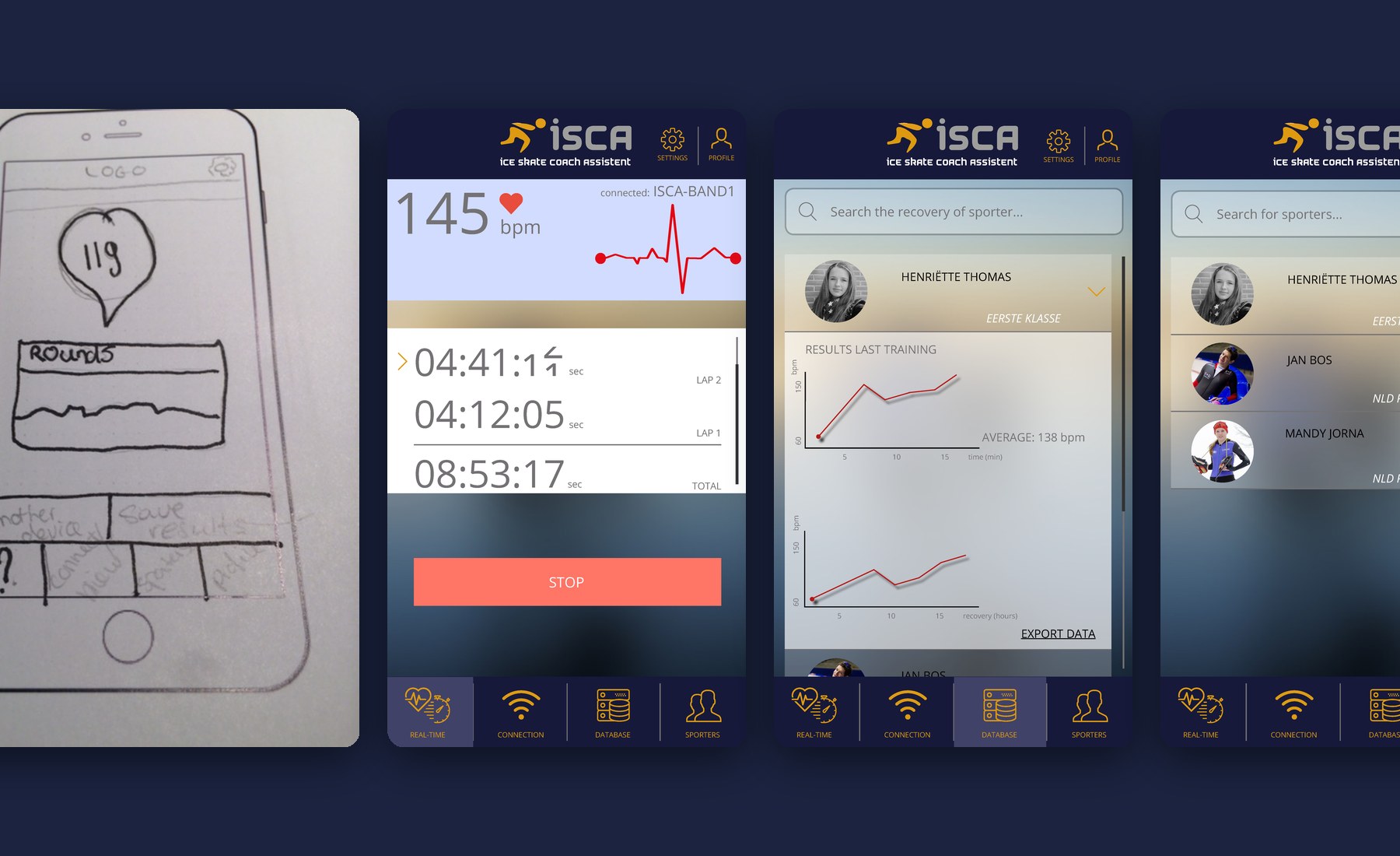
Design an interactive product for top athletes. We designed ISCA, the Ice Skate Coach Assistant: an app for coaches of professional ice skaters.
The project
2
(ex-)skaters from our own network interviewed
2
rounds of paper prototype tests
25
screens in the clickable prototype
From our process report
What we found
“The coach stands next to the track with a stopwatch.”
From the research
Methods
Interviews
Benchmark
A day in the life
Flowchart
Paper prototype
Usability tests
Marvel prototype
The flow
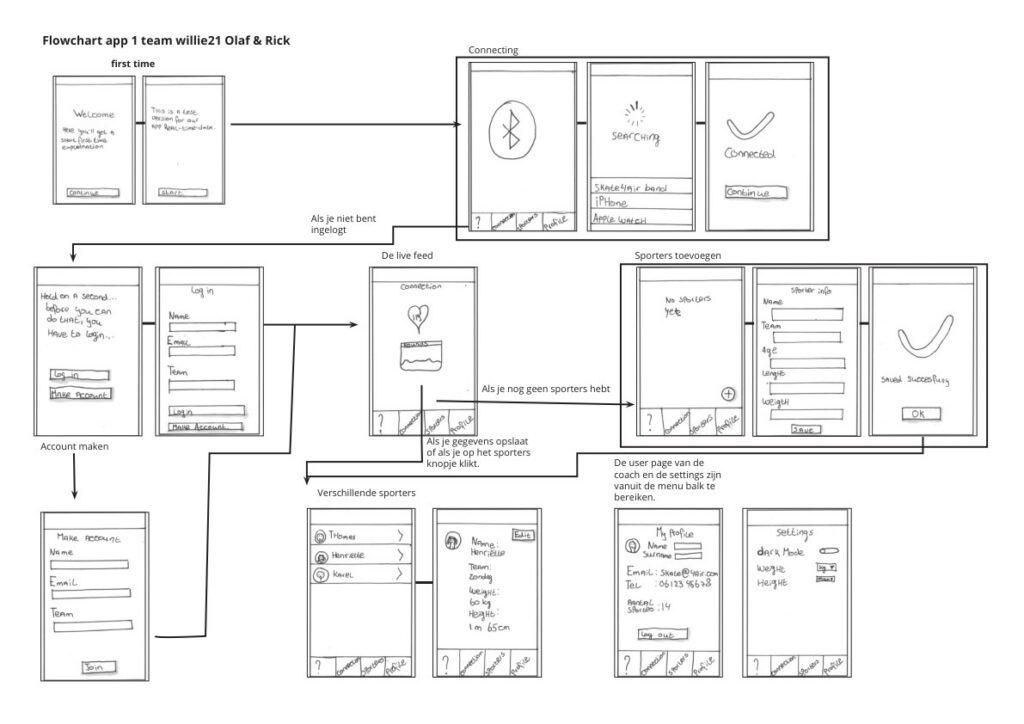
First time use, connecting the band, the live feed and adding skaters, mapped out on paper before anything was drawn digitally.
Sketch → prototype
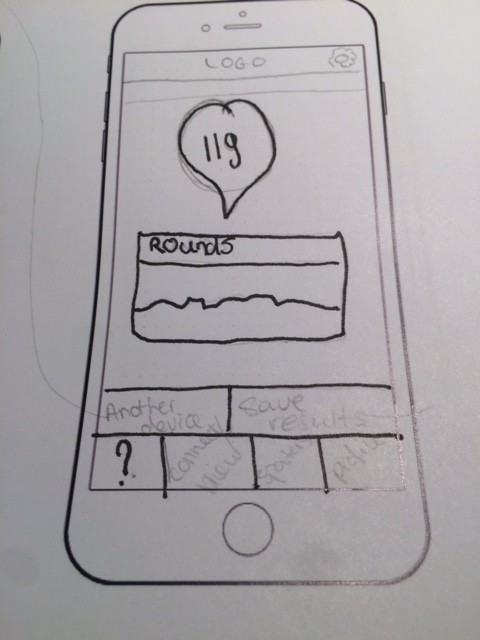
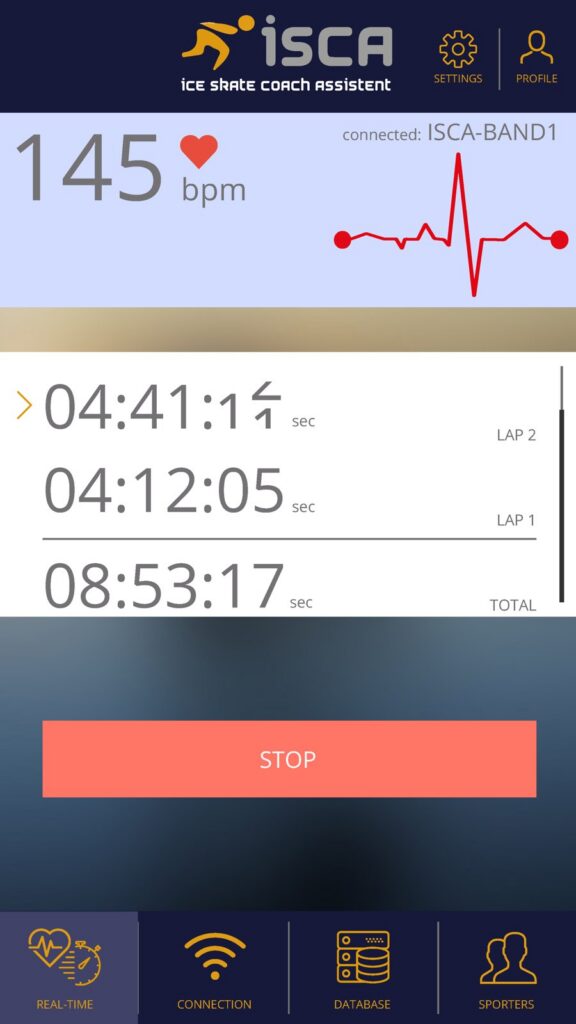
The full story
01
The challenge
01
The challenge
The assignment was to design an interactive product for top athletes, to make their performances better. We were assigned Skate for Air, but we had a lot of difficulties with the research data provided at the start: the interview video wasn’t clear enough to use.
So our focus switched to ice skaters in general. That gave us the insight that a lot of ice-skating training is still done manually.
02
Research: how we got there
02
Research: how we got there
When the interview video wasn’t usable, we looked in our own network and found a professional skater and a former skater. Later the Skate for Air interview was transcribed, and their insights matched ours.
01
Athlete interviews
Shared problems: data management, recovery and training
02
Own network
A skater and a former skater
03
Benchmark
Cardiio, Strava, Runtastic, Sleeptime
04
A day in the life
Of a professional skater
05
Paper prototype
Two test rounds with skaters
06
Marvel prototype
25 clickable screens
03
Key insights
03
Key insights
Data is collected awkwardly
Skaters use many apps that each collect data separately and don’t work together.
Skaters can’t fully focus
They check their heart rate on a wristband while skating, instead of focusing on skating.
Lap times come too late
The coach keeps time with a stopwatch, and the data is only available after the ride.
04
Design decisions: what we found, and what we did with it
04
Design decisions: what we found, and what we did with it
Insight
Skaters are mostly busy with lap times and heart rate, and have to hold a percentage of their power on longer distances. Yet lap times are only available after the ride.
Interviews
Decision
Live heart rate and lap times for the coach
The app sends heart rate and lap times to the coach in real time, so the coach can see how fast the skater goes at what power, and give better directions.
Insight
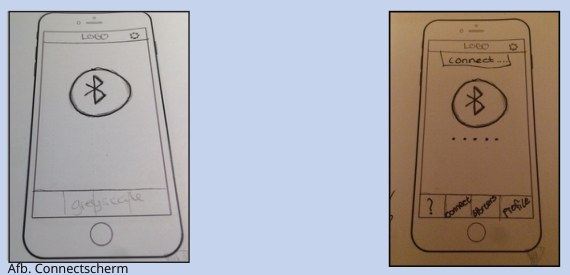
We left the menu bar off the first screen so users would go through the connect flow first. In the first test round, testers found that unclear.
Paper prototype test, round 1
Decision
Show the menu bar from the start
We added the menu bar under the Bluetooth screen. The second test round showed it added a lot of value.
Insight
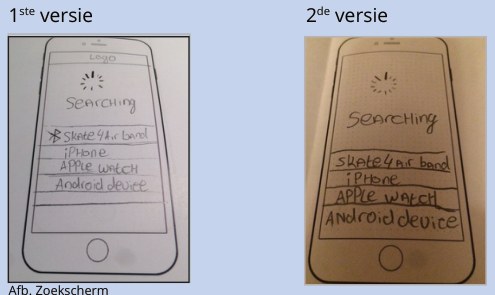
On the connect screen, an icon showed which device you could connect to. Several testers thought they were already connected.
Paper prototype test, round 1
Decision
Remove the misleading icon
After removing the icon, the confusion was gone in the test with our target group.
Testing with real skaters
Two of us had friends who skate or skated at a high level. They helped at the start, when the interview video wasn’t usable, and again to test the app. If they hadn’t been available, we would have gone to the Jaap Eden ice rink to find skaters there.
05
Result
05
Result
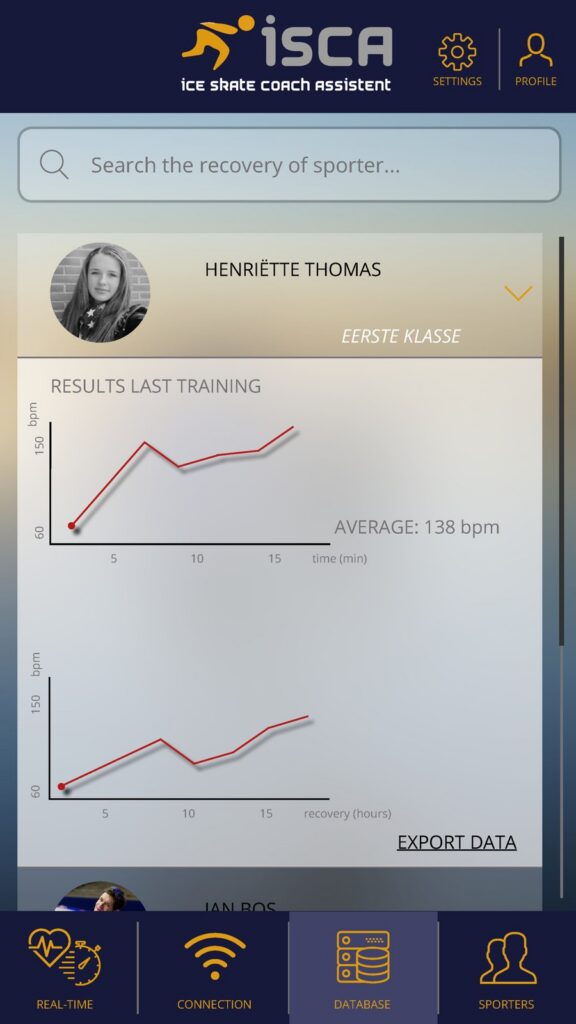
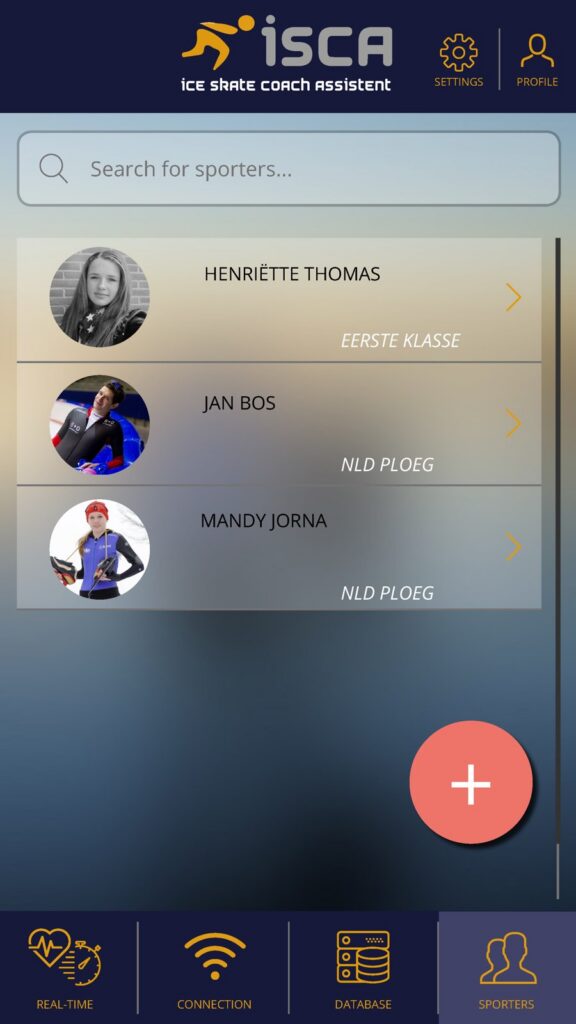
A clickable Marvel prototype with 25 screens: connecting the ISCA band, live heart rate and lap times, skater profiles and training results with recovery advice. The project ended at the prototype; the app wasn’t built.
06
Reflection
06
Reflection
“The feedback we got was overwhelmingly good for first-year students, because we did our own research, made a design solution and made decisions based on our users’ needs.”
We learned the most from testing: the first round gave us clear improvements for a better paper prototype, and the second round gave us small insights from our target group to add even more value. I still think the UI we made is pretty awesome.