UX research & design · Videoland · 2021
A help page you can finish in three clicks
My role
UX research & design intern at Videoland, part of RTL Group. During my 6-month internship I led this project, remotely, during COVID-19.
The goal
Make it easier for users to find what they need, and reduce the workload on customer support.
What the data said
4.3M
views of the help landing page
4.98
pages per session
77.3%
of visits on desktop
Google Analytics, 3 to 25 May
My favourite quote
“Help is help and help should stay help.”
Heard during my research
Methods
Stakeholder meetings
Observation
Benchmark
User test
Analytics
Wireframes
UX documentation
The rule of three
1
Home
2
Results
3
Article
“After three clicks or more around the website I become impatient and insecure.” So every answer is at most three steps away.
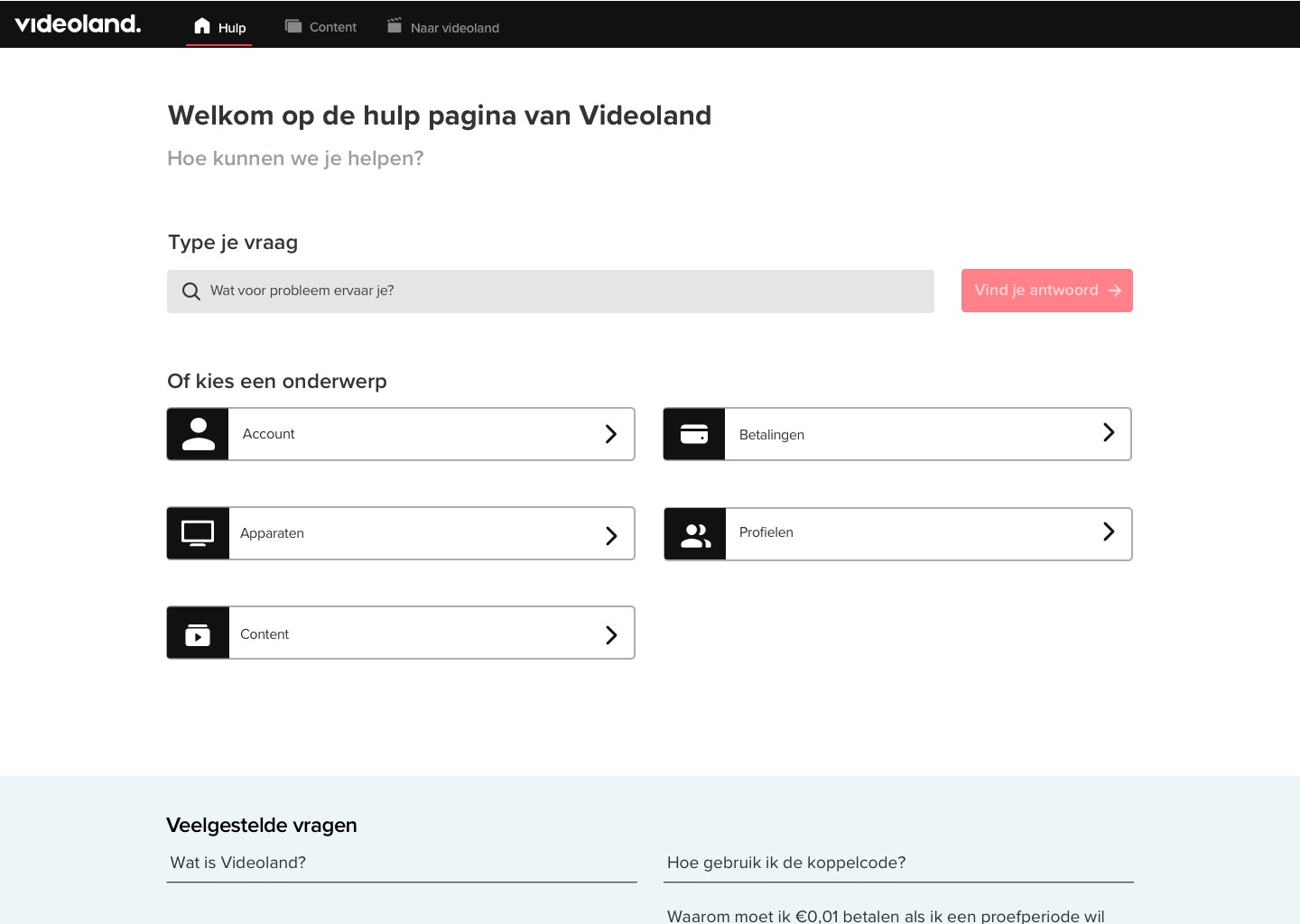
Wireframe → final design
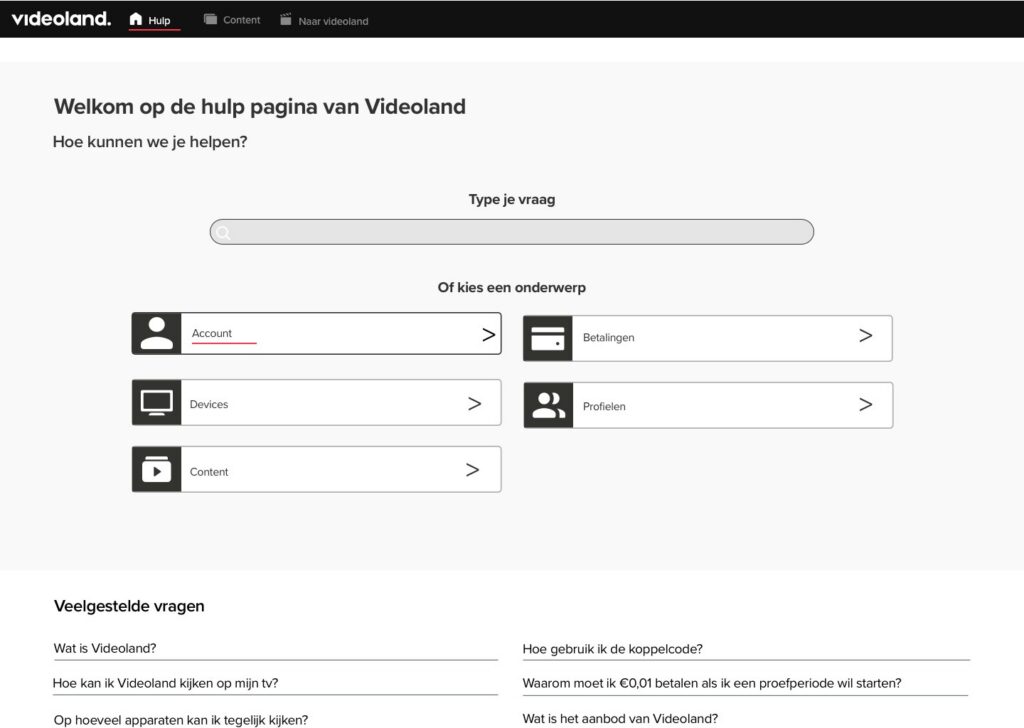
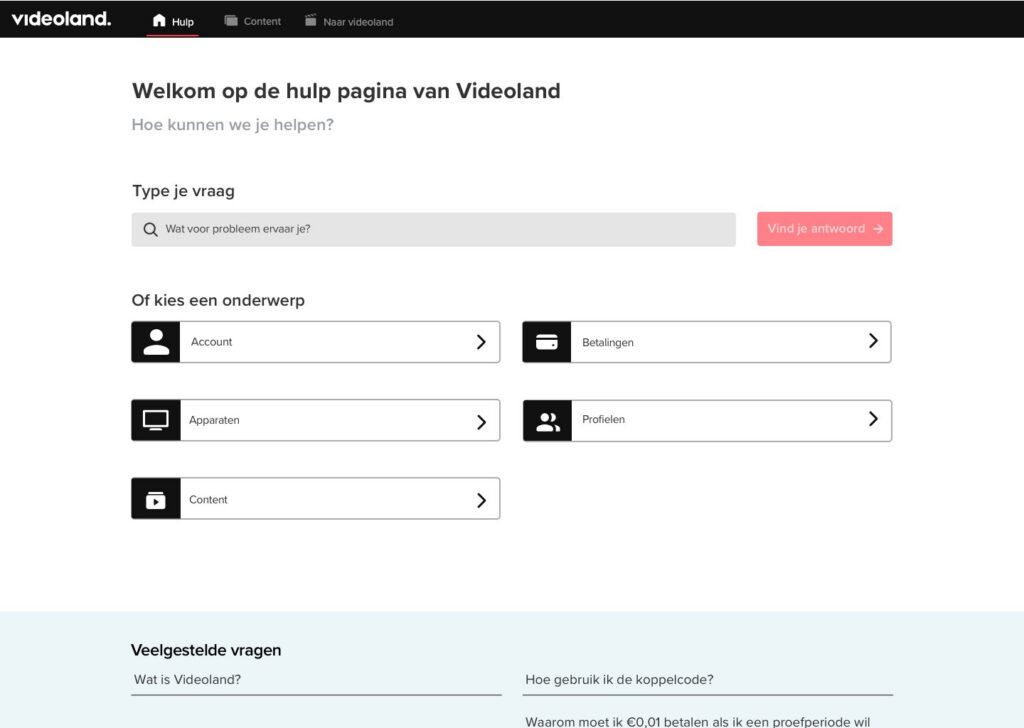
The full story
01
The challenge
01
The challenge
I was tasked with researching and redesigning the help page of Videoland. To understand the needs of both the users and the stakeholders, I had meetings with customer care. In these meetings I got a general idea of what problems they had when helping the users, and how they too were reliant on the help page.
The goals of the project:
→ Make it easier for users to find what they need.
→ Enhance the experience of our users.
→ Understand how users search for information on the help page.
→ Reduce the workload on the customer support team.
02
Research: how I got there
02
Research: how I got there
I went to observe how customers get into contact with Videoland. I had a behind-the-scenes view of both the call-ins and the social networks, which gave me a better understanding of the customers and the state of mind they are in when contacting customer care. I then planned a user test to see how people navigate the current help page.
01
Stakeholders
Meetings with customer care
02
Observation
Calls and social media, behind the scenes
03
Benchmark
Netflix, Disney+, Prime Video
04
User test
Navigating the current help page
05
Analytics
Google Analytics, 3 to 25 May
06
Redesign
Desktop, tablet and mobile
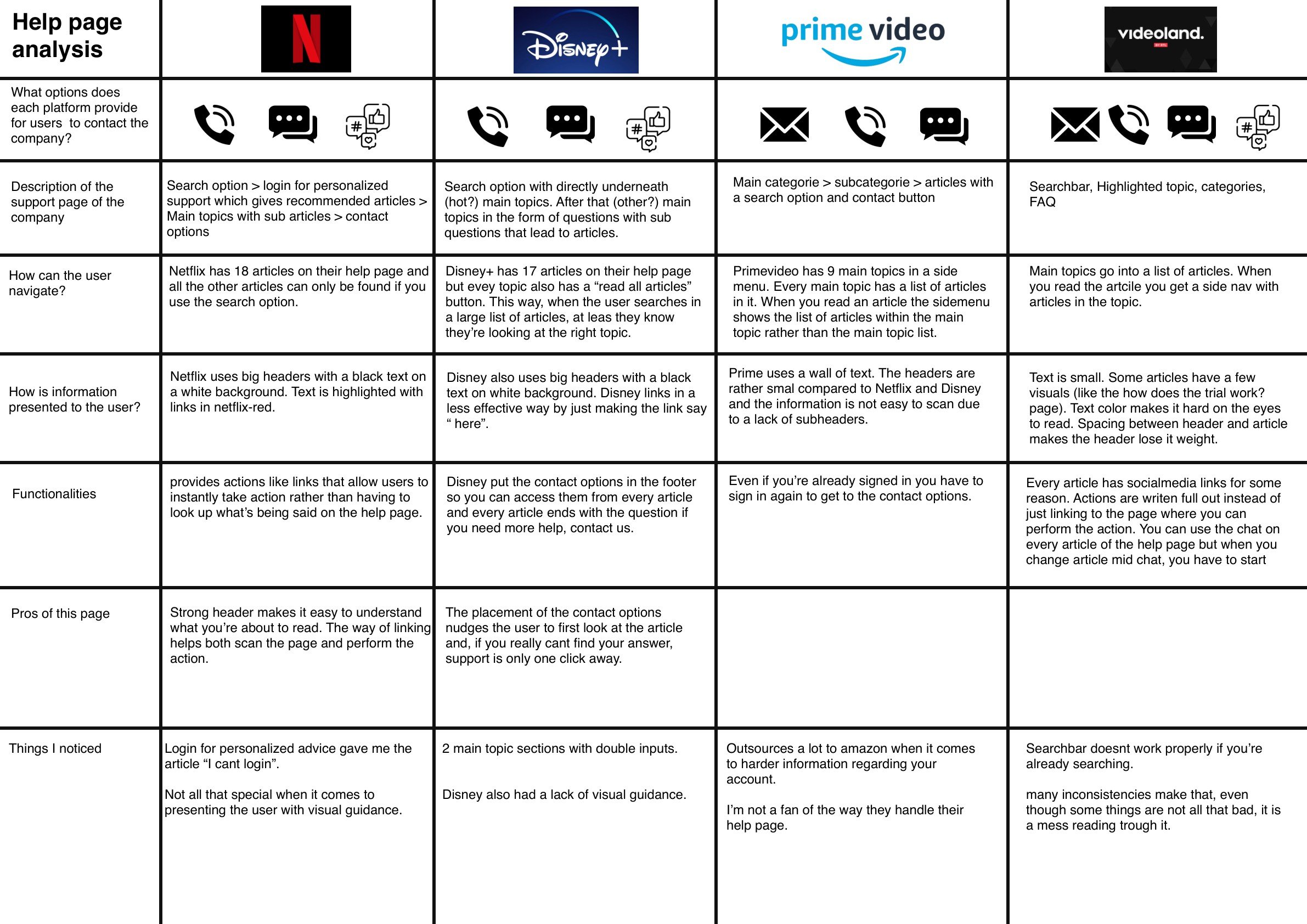
Companies like Netflix, Disney+ and Amazon Prime all have very different approaches to what they believe their users need. I made an overview of how each help page lets users navigate, presents information and offers contact options.
03
Key insights
03
Key insights
“When I have to search, I’m not sure if I use the right terms.”
User test participant
“I like that there is little distraction on the pages. I like it clean.”
User test participant
“I find the differences between Videoland and the help page to be too big. It is almost as if it doesn’t belong together.”
User test participant
When I asked users to search for their preferred way of contacting customer care, they all went directly to the footer and had no problem finding it. All of them told me they would prefer calling when something was wrong. There seems to be a preference for quick back-and-forth communication.
I also found that people see the chatbot as a contact option, not as a way to search for their article. And some of my test users told me they loved how honest we were, for example that the FAQ answers how to cancel your subscription.
04
Design decisions: what I found, and what I did with it
04
Design decisions: what I found, and what I did with it
Insight
“After three clicks or more around the website I become impatient and insecure.”
User test
Decision
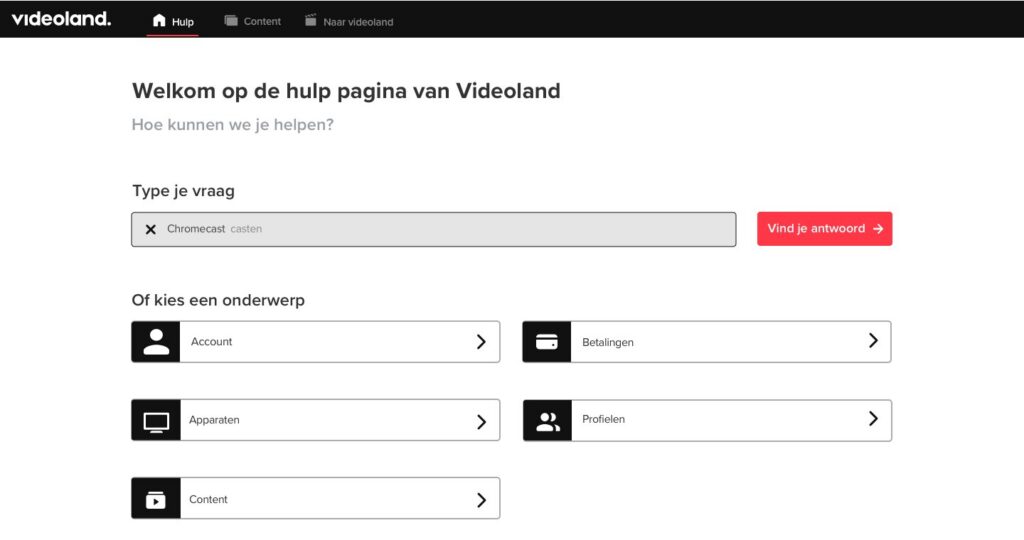
Three clicks are the max
People land on the home page, click a category or type a question, and find the information they need. Socials open in a new browser tab, to create the illusion of fewer clicks.
Insight
When I asked users to search from within an article, they all first went back to home to begin their search there. Navigating the help page is a linear process.
User test observation
Decision
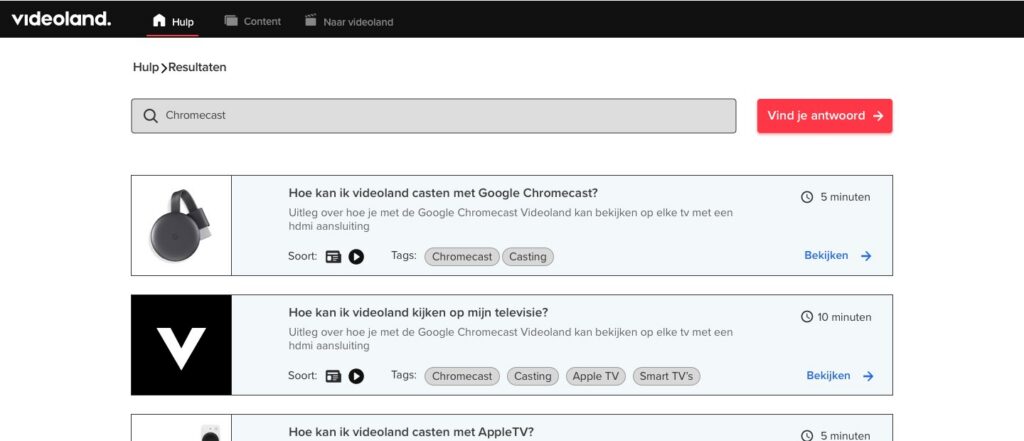
Navigation is key
A mini nav shows users where they are in the flow and lets them go back to previous steps. Every article lets them continue searching.
Insight
Listening in on calls, I found people sometimes call just to have someone talk them through it. Especially elderly users are not confident enough to do as the article tells them.
Observation at customer care
Decision
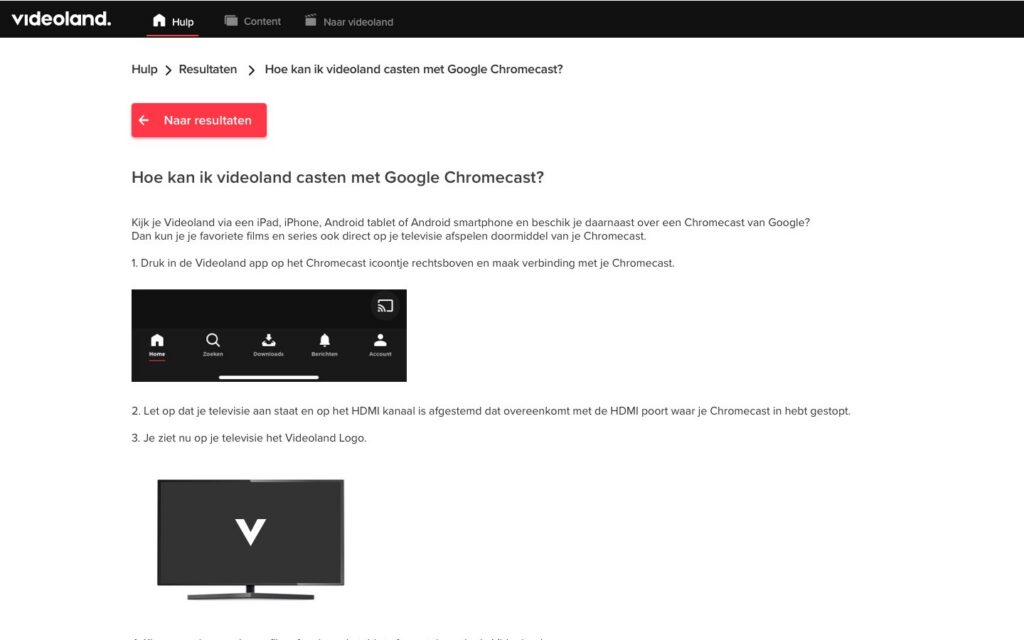
Articles with supporting visuals
Images and instruction videos let users compare what they see with what is happening in their own living room. Every video has a written transcript.
Where I pushed back
Customer care asked me not to include the contact options on the results page, to nudge users to finish their search before contacting. I recommended keeping them: when a search fails, the user’s goal switches to finding contact options, which at that point are unnecessarily hard to find. And if you show them on two of the three screens, you should show them on all three.
05
Result
05
Result
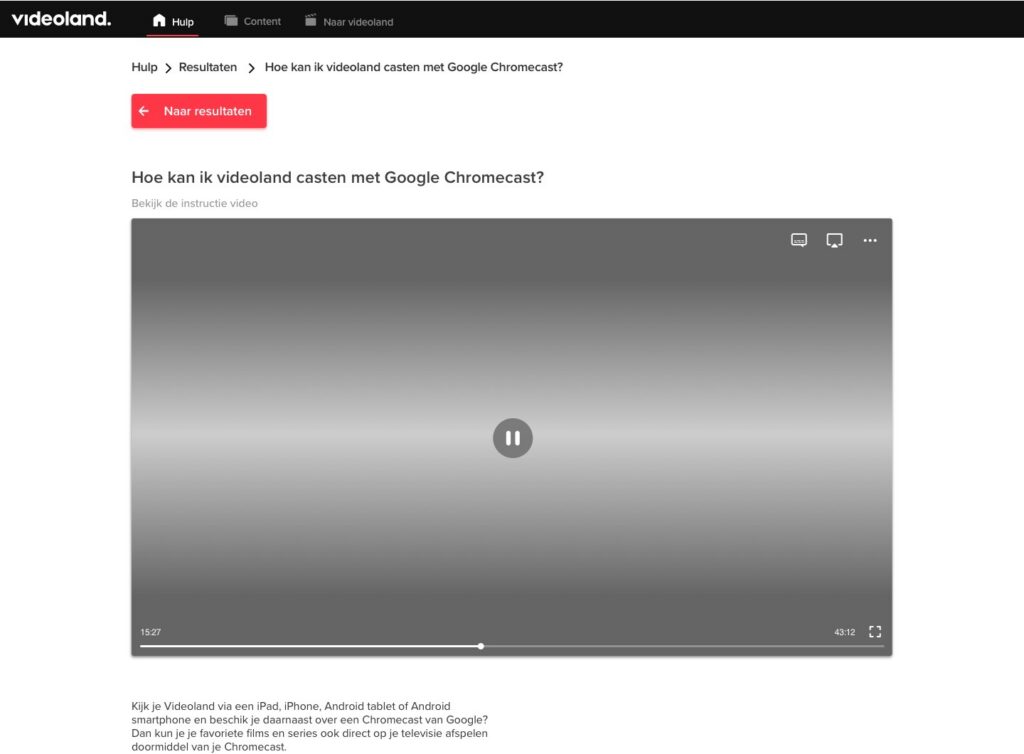
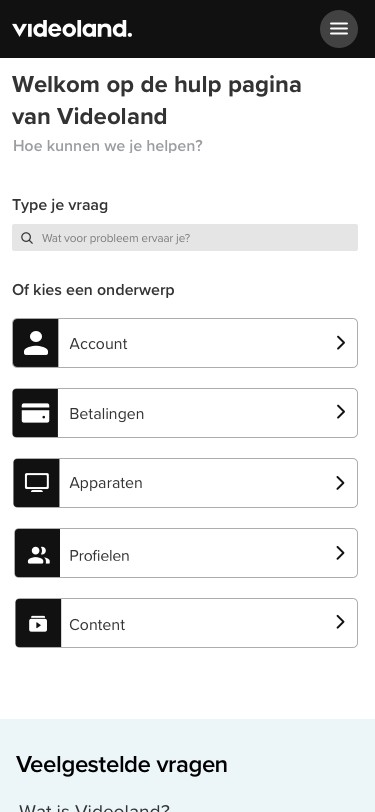
A three-step help page (home, results, article) for desktop, tablet and mobile, with a UX documentation that explains every element for the developers.
06
Reflection and next steps
06
Reflection and next steps
“For the best customer experience this idea should be tested and validated with users. I sadly didn’t have time to do this, but as a UX designer I cannot stress enough the importance of user feedback.”
The logical next step is to validate the idea with a prototype. That test will give input for a second iteration, and when that is done, the page can be built with confidence.
It was the first time I could run a large-scale user research with a budget, working with great UX researchers and designers I learned a lot from. Despite COVID-19 I collaborated fully remotely. This internship solidified my passion for user-centered design.